What File Formats Are Accepted for Custom Logo Printing on Inflatable Advertising Tents?
Accepted File Formats for Custom Logo Printing
When it comes to custom logo printing on an inflatable advertising tent, choosing the right file format is crucial for achieving the best print quality. Most professional printing services prefer vector-based files because they allow the image to be scaled without losing resolution. Common vector formats include AI (Adobe Illustrator), EPS (Encapsulated PostScript), and SVG (Scalable Vector Graphics). These formats ensure that logos appear crisp and clear, regardless of the size of the inflatable advertising tent.
In addition to vector files, some printers accept high-resolution raster images such as JPEG, PNG, or TIFF. However, raster images must be at least 300 DPI (dots per inch) to maintain sharpness. It's worth noting that low-resolution files often result in a blurred or pixellated print, which detracts from the overall professionalism of the advertising setup. Always check with your printing provider for their specific requirements.
Another factor to consider is color mode. Printing typically requires files to be submitted in CMYK (Cyan, Magenta, Yellow, and Key/Black) rather than RGB, which is used for digital screens. This ensures color accuracy and consistency on the finished product.
Preparing Your Files for Printing
Before sending your design for printing on an inflatable advertising tent, it’s important to review the file carefully. Make sure all fonts are either converted to outlines or embedded within the file. This avoids font substitution errors during the printing process, which can drastically change the appearance of your logo.
Transparency effects and drop shadows should also be flattened or rasterized to prevent unexpected printing issues. While some printers handle these effects well, flattening them ensures more predictable results. Additionally, include bleed areas as recommended by the printing company, which prevents white edges after trimming.
For projects with complex logos or multiple colors, it’s beneficial to request a sample proof. This allows you to verify color accuracy and overall design placement before production begins, minimizing the risk of costly mistakes.
Tips for File Submission and Communication
Clear communication with your printer can streamline the entire process. Always provide a short description alongside your files explaining any intricate details or specific color preferences. This helps the production team understand your vision better and make adjustments if necessary.
Uploading files via a reliable platform or in a zipped folder prevents corruption during transfer. Additionally, ensure that your files are named descriptively to avoid confusion. For instance, naming your file with the client name, project date, and version number helps maintain organization during large production runs.
Lastly, keep a backup of all submitted files for future use or potential revisions. Having an editable original design saves time and resources if you need additional inflatable advertising tent prints later.
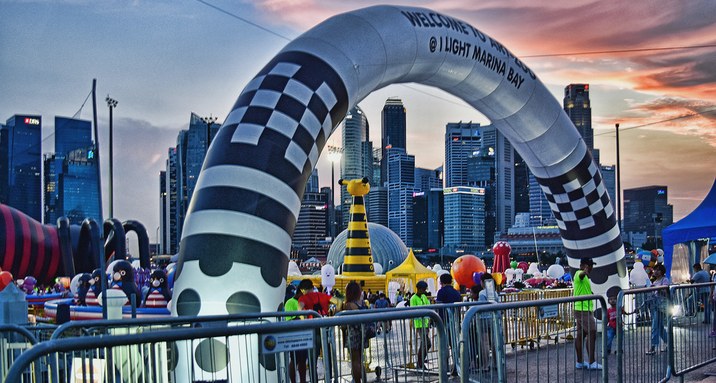
Sometimes, printers may provide online portals or apps where you can directly preview how your logo will look on the inflatable tent. This modern tool simplifies adjustments and aids you in making informed decisions.